AlbumMaker
Your photos, sorted by the day and the place they were taken.
AlbumMaker sorts a folder of photos and videos into albums by when and where they were actually taken. A guided wizard explains every step in plain language, and nothing moves until you approve the plan.

How it works
A guided wizard in four steps. Each one explains what will happen, in plain language, before anything does.
See what's in your folder
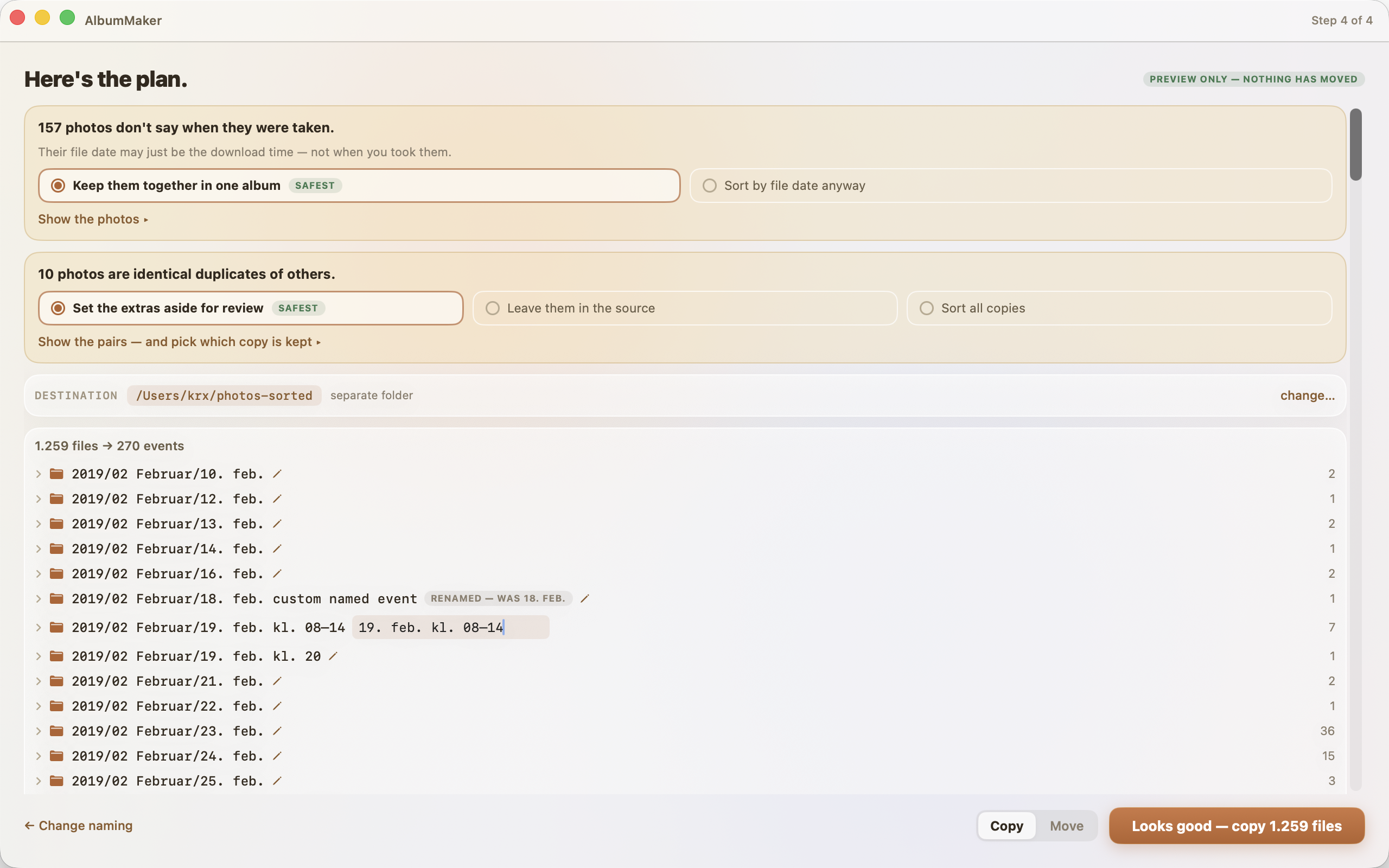
The scan recognizes what each file is: photos, videos, screenshots, panoramas. It shows where each type will go, and every route is a single toggle.
Choose naming
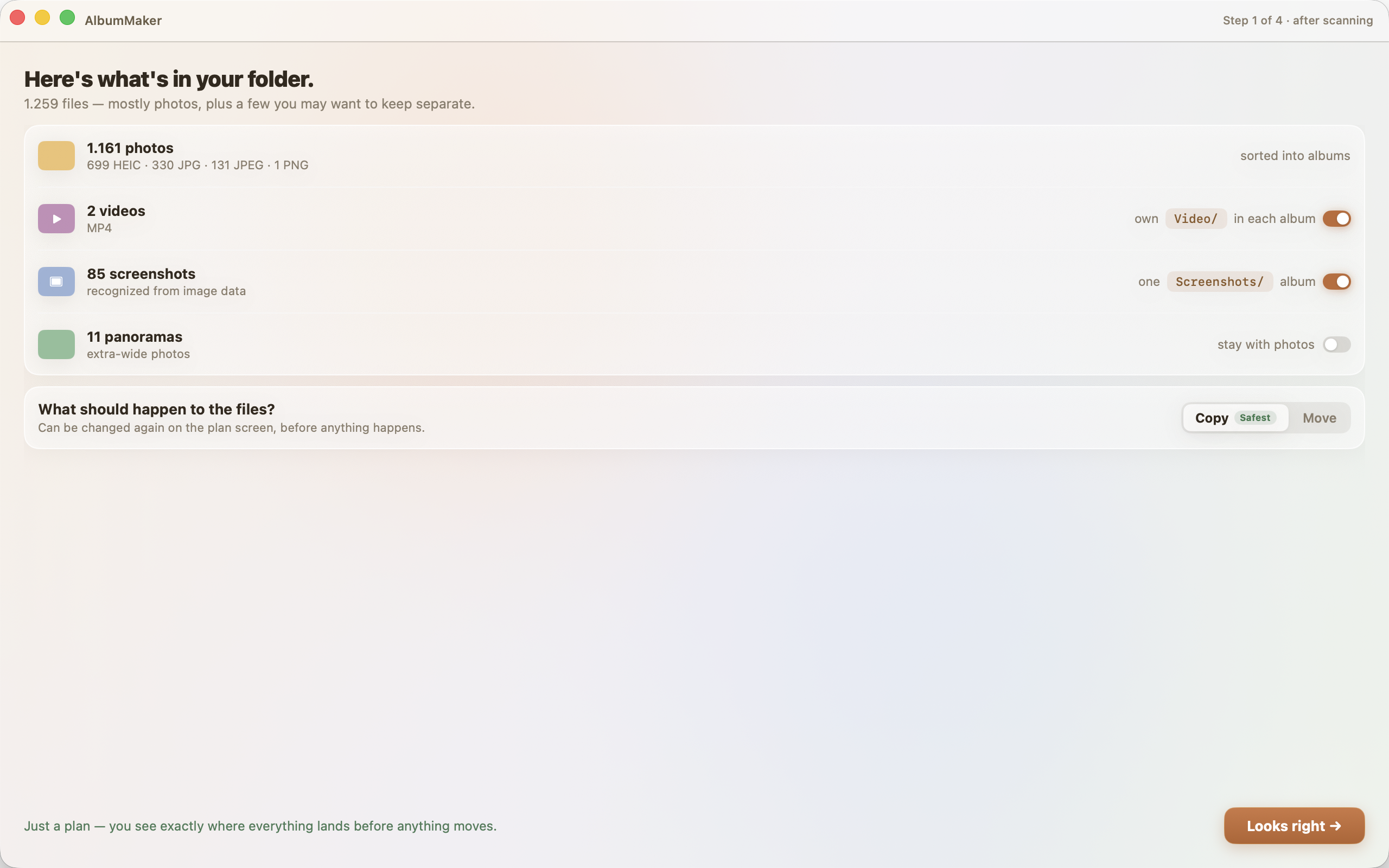
By event, month, week or day, or a custom {token} template with a live example. Events cluster by a pause in time, and the card shows exactly where your photos land.
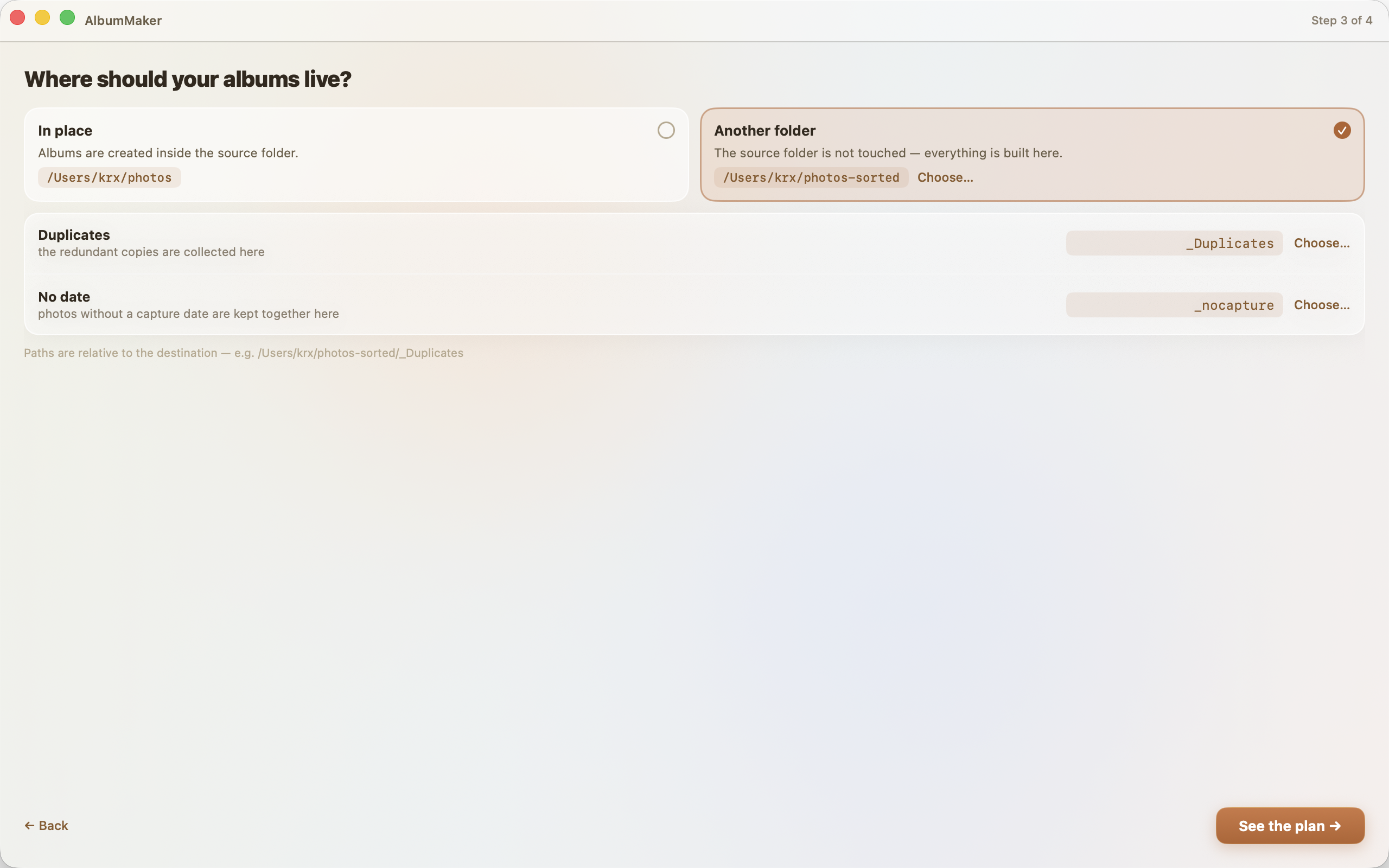
Choose where albums live
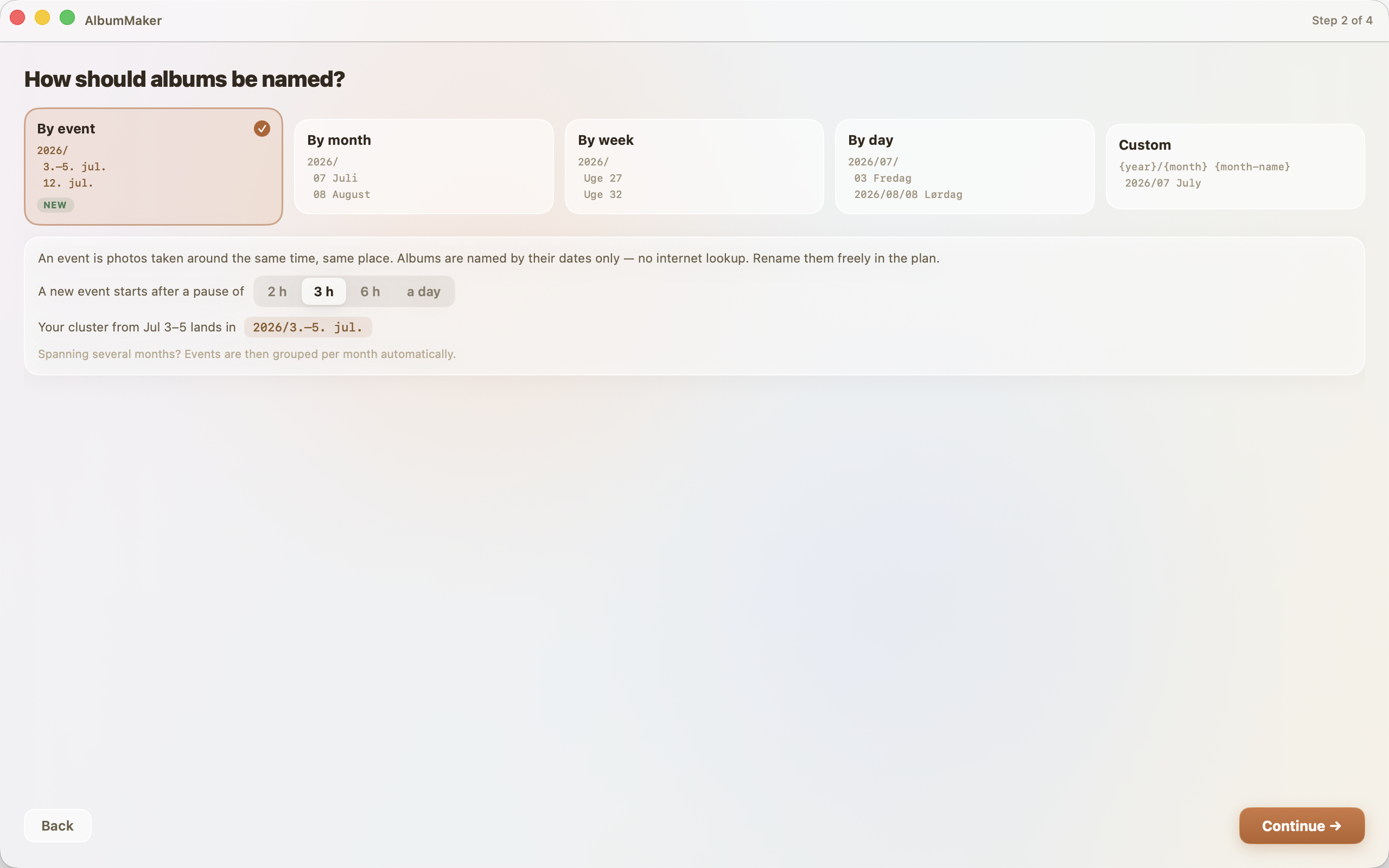
In place, or into a separate folder that leaves the source untouched. Special folders for duplicates and photos without a date are named here too.
Review the plan, then apply
Every album, every decision and every file is visible before anything happens. The plan says it plainly: "Preview only — nothing has moved".
Expert mode, one keystroke away
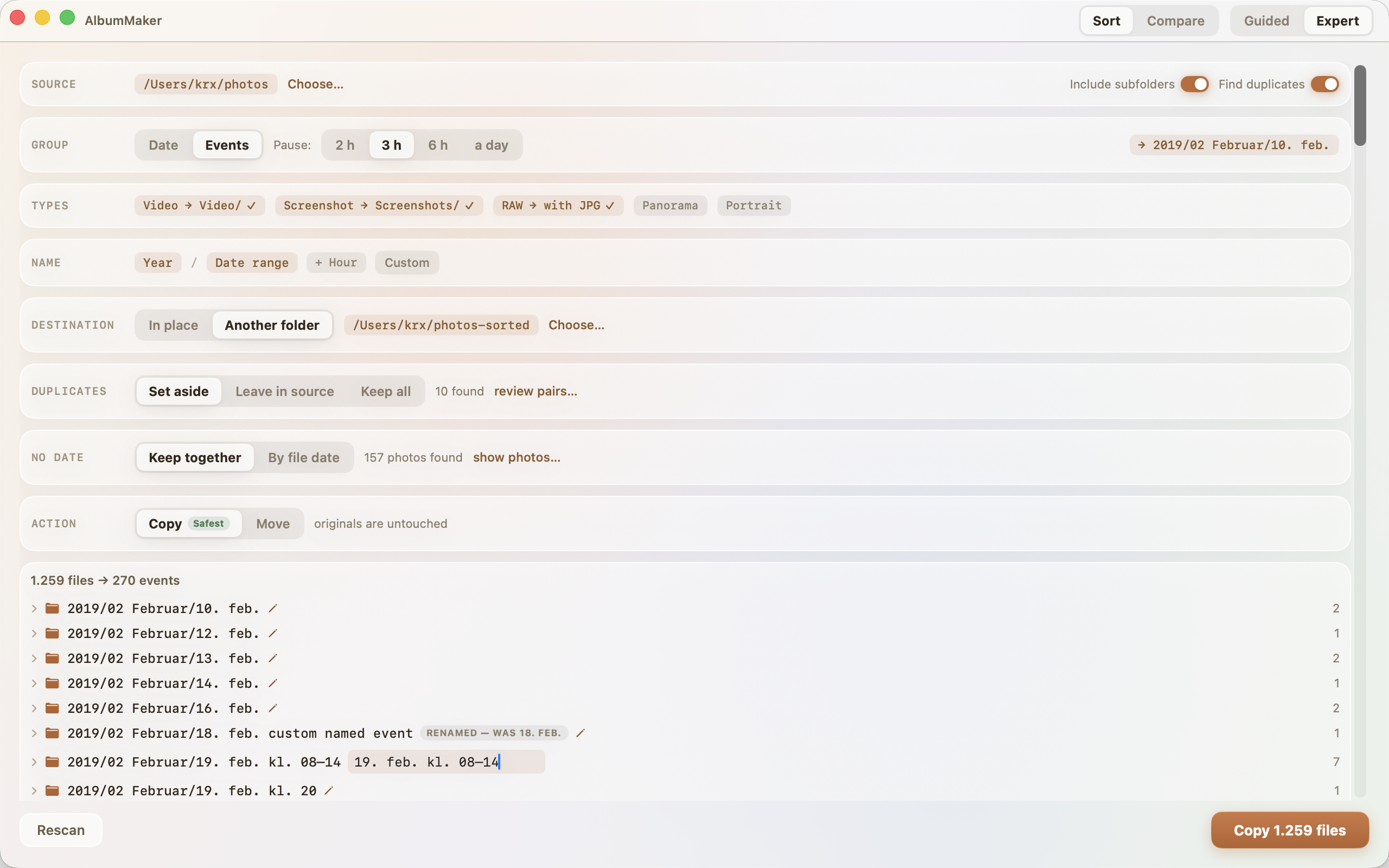
The whole flow as a single panel for repeat users. Same engine, same safety. Switch any time in the title bar.
Sort by event
Photos taken around the same time and place become one album: a birthday, a city trip. Everything is computed offline.
A pause starts a new event
You pick what counts as a pause, from a few hours to a day, or a jump in location. Photos without GPS cluster by time alone and never split an event.
No place lookup, ever
Coordinates are compared on your Mac and never leave it. Albums are named by their dates. Rename any album in the plan ("Barcelona") and the name survives re-planning.
Names never collide
Events spanning several months nest per month automatically. Same-day events get their hour ranges appended, so every album name stays unique.
It never guesses
One-shot scripts and utilities trust file dates and overwrite on name clashes. AlbumMaker does the opposite:
Previews everything first
Scanning is read-only, and nothing moves until you click Apply on a plan you have seen. The plan says it plainly: "Preview only — nothing has moved".
Never overwrites a file
Name clashes auto-rename (photo.jpg → photo-1.jpg). A byte-identical file already at the destination is skipped, not duplicated.
Asks instead of guessing
Files without a capture date (scans, WhatsApp images, iCloud downloads carrying the download date) get an explicit decision in the plan: trust file dates, or keep them together in one folder. Your choice is remembered but always shown.
Finds duplicates
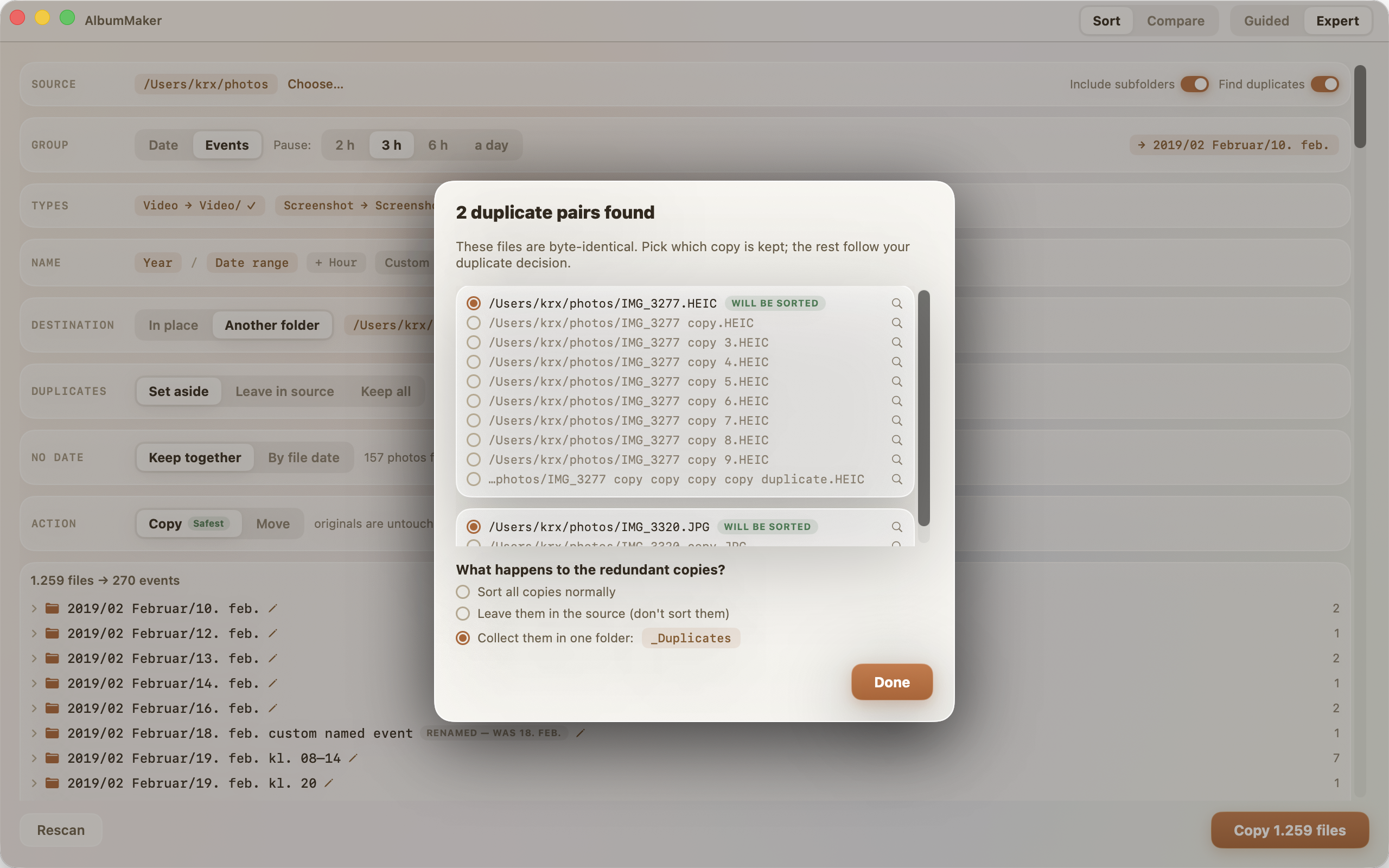
Byte-identical files are detected whatever their names or folders. You decide: sort all, leave the extras behind, or collect them for review. The cleanest filename wins pre-selection, changeable per group.
Accounts for every file
Unreadable folders and files are reported loudly, with a clear "the scan may be incomplete" warning. Nothing is silently skipped.
Local and private
No network, no accounts, no analytics. Event clustering compares GPS coordinates on-device, and there is no place-name lookup. Sandboxed; touches only folders you pick.
Compare two folders
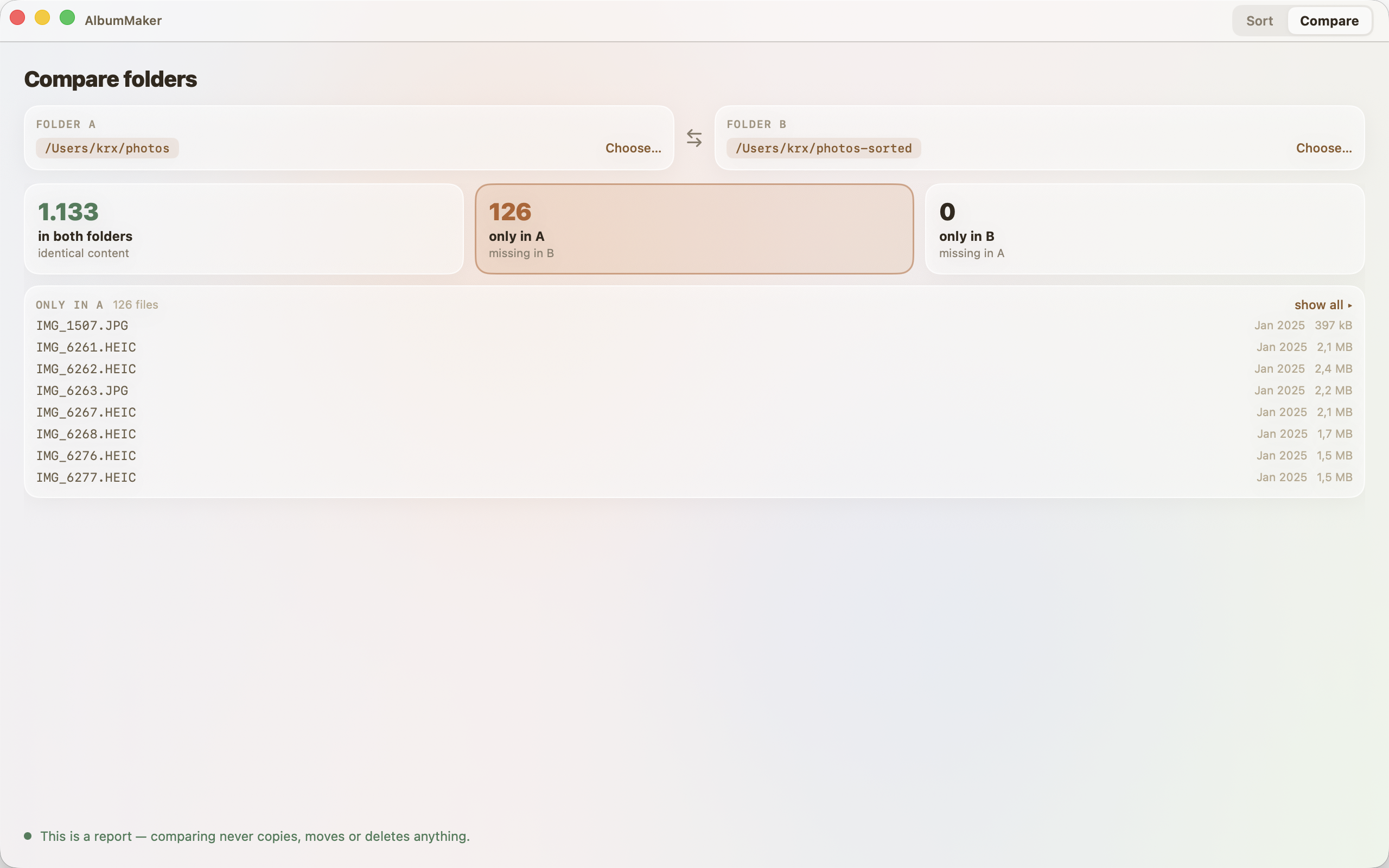
Verify a backup before deleting the source. Comparison is by content, so a renamed copy still counts as the same file.
What's where
What's in both folders, what's only in A, and what's only in B, with the file lists to prove it.
A pure report
Comparing never copies, moves or deletes anything, on either side. Files that can't be read are listed too, so the report is never silently incomplete.
Features
- Guided 4-step wizard or single-panel Expert mode, powered by the same engine
- Sort by event (time + place, offline), month, ISO week, day, or custom template
- Rename event albums in the plan; renames survive re-planning
- Compare two folders by content; it reports and never changes anything
- Media-type recognition: screenshots, panoramas, portraits, bursts, RAW, Live Photos; per-type routing
- Live Photo pairs (photo + video) always stay together
- Move or Copy, per run; sort in place or into a separate destination
- Folder-name templates with 11 tokens incl. {type}, {event} and ISO-8601 weeks, live preview, presets
- Capture-date extraction: EXIF (DateTimeOriginal), TIFF fallback, video creation date
- Explicit no-capture-date decision flow
- Duplicate detection with per-group control of which copy is kept
- Re-run friendly: already-sorted files are skipped, and repeated Copy runs don't multiply files
- UI in English and Danish; folder names in their own language (12 choices), independent of the UI
- Built-in help (⌘?), twelve topics, fully localized
- macOS 13+
Get AlbumMaker
The full version of AlbumMaker is available now on the Mac App Store.